-
H. No. 905, H-16, Near Gujjar Chowk
Sangam Vihar, New Delhi – 110080
-
You may send an email
harvestskillfoundation@gmail.com
-
Helpline and support
+91 92171 55086
H. No. 905, H-16, Near Gujjar Chowk
You may send an email
Helpline and support
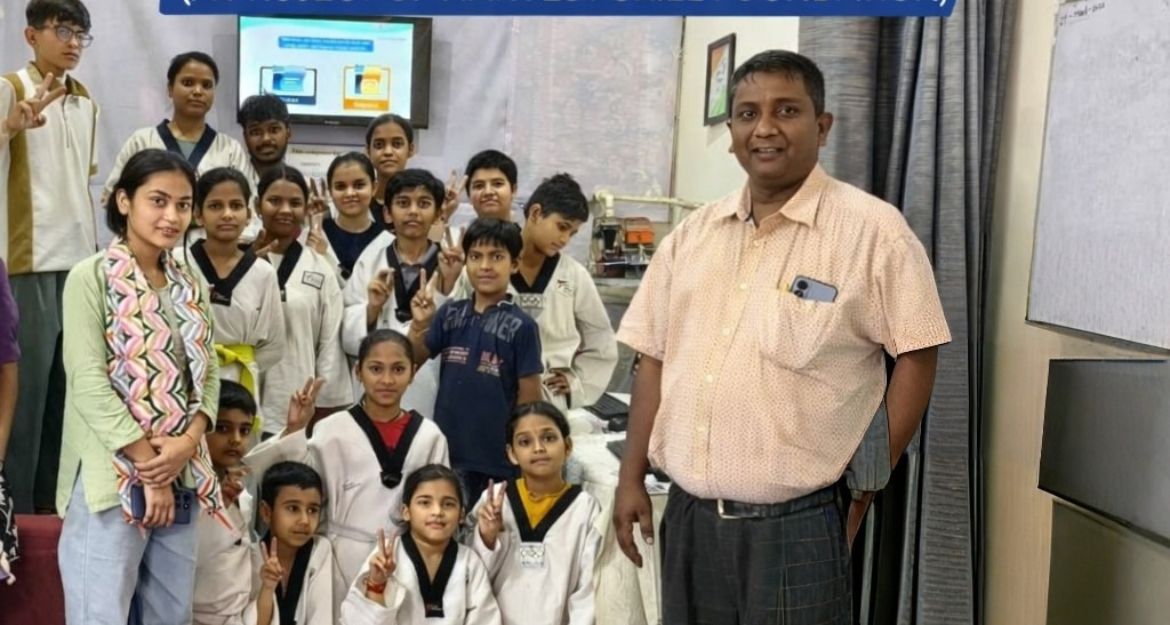
The Harvest Community Computer Center is a digital skill development initiative of Harvest Skill Foundation created to help children, young people and members of the community gain practical computer knowledge. In a world where digital skills are increasingly important for education, communication and employment, access to basic computer learning can make a meaningful difference in a person's future opportunities.
The Centre provides a supportive learning environment where participants can become familiar with computers, practise essential digital tasks and gradually develop the confidence to use technology for learning and personal development. Our focus is on practical learning that can be useful in school, further education, everyday life and future work opportunities.
The purpose of the Harvest Community Computer Center is to make basic digital education more accessible to children and young people who may have limited opportunities to learn and practise computer skills.
Through guided sessions and hands-on activities, participants are encouraged to understand computers, explore educational resources, improve their digital confidence and develop skills that can support their academic and professional journey.
Basic Computer Education
Digital Literacy
Keyboard and Mouse Skills
Educational Computer Activities
Internet and Online Learning Awareness
Digital Confidence Building
Practical Learning Activities
Computer-Based Learning Support
Youth Skill Development
Employability-Oriented Digital Skills
Digital technology has become an important part of modern education and everyday life. However, not every child or young person has the same access to computers, digital learning resources or opportunities to practise technology. The Harvest Community Computer Center aims to help address this gap by providing a place where learners can gain practical exposure to computers.
Sessions can include basic computer operations, keyboard and mouse practice, educational activities, typing, digital learning exercises and an introduction to useful computer applications. Participants are encouraged to learn at their own pace while receiving guidance and support.
Our approach combines basic digital literacy with practical activities so that learners can understand not only how to operate a computer, but also how technology can be used as a tool for education, communication, creativity and future skill development.
Introduction to computers and their basic functions
Keyboard, mouse and typing practice
Educational and interactive digital activities
Digital learning and internet awareness
Practical computer-based learning
Skills that support future education and employment